
Ever needed to compare two files side by side and wished you could edit one against the other, live?
Yes, terminal diff is fine for a two-line change, but the moment you’re staring at:
- A
git mergeconflict with overlapping edits from both branches - Two
nginx.conffrom two servers you thought were identical - A whole directory tree you migrated and want to sanity-check
you probably want colours, side-by-side panes, the ability to click the arrow that copies a chunk from one side to the other, and, for merges, three panes at once (mine / base / theirs).
Meld is the free, cross-platform tool that does all of this without asking for a subscription.
What Meld is
Meld is a GNOME-project GUI diff and merge tool, written in Python + GTK.
Open-source (GPL), actively maintained, available on Linux, macOS and Windows (great to use via WSL as well).
It does three things very well:
- File comparison: side-by-side, syntax-highlighted, with arrows to copy chunks between panes.
- Folder comparison: recursive tree diff, same-name files get compared, missing files get flagged, size/mtime shown.
- Three-way merge: mine / base / theirs panes with every conflict resolvable in one window. This is the killer feature during a nasty
git merge.
Installation
Windows
Download the .msi installer from meld.app. Stock Windows install, no drama.
Linux (Debian/Ubuntu)
sudo apt update
sudo apt install meld
Features
Side-by-side file comparison
From the terminal, one line:
meld file-a file-bOr from the UI: File → New Comparison → File comparison → pick two files.
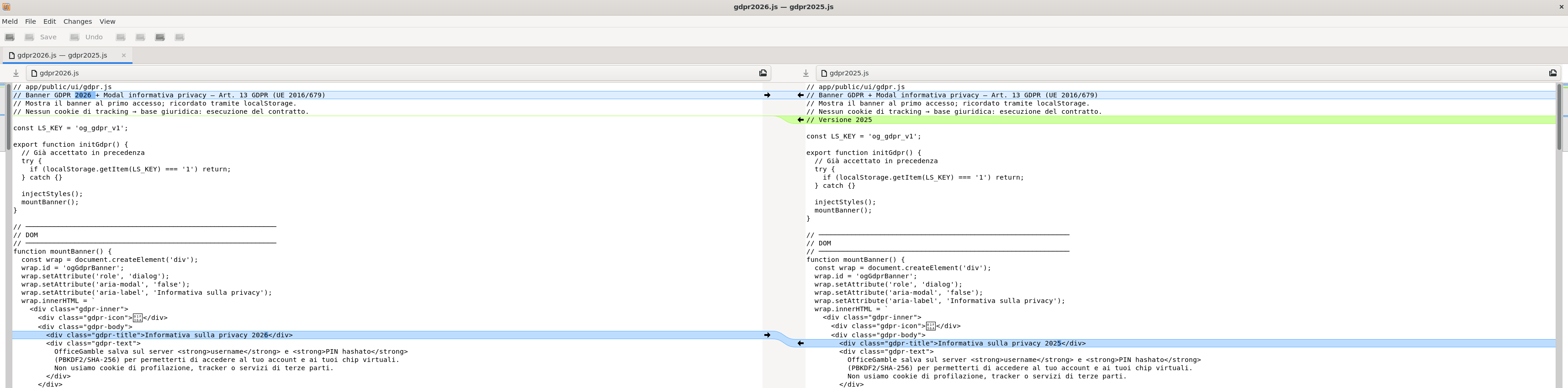
Two panes with matching lines aligned, added/removed sections coloured, and small arrow buttons in the gutter that copy a chunk from left to right (or vice versa) with one click.
Save from either pane (CTRL+S) and Meld writes back to disk.
Folder comparison
Same idea, just point it at two directories:
meld ./dir-a ./dir-bOr from the UI: File → New Comparison → Directory comparison → pick two folders.
Recursive tree with three states per entry: same (grey), different (highlighted), only on one side (arrow marker).
Double-click any file to open a file-level diff in a new tab.
Three-way merge
From the terminal, three paths in mine → base → theirs order:
meld mine base theirs # e.g: meld nginx.conf.MINE nginx.conf.BASE nginx.conf.THEIRSOr from the UI: File → New Comparison → File comparison → tick “3-way” → pick your three files.
Panes are mine (left) — base (center) — theirs (right).
Every conflict has copy-both / copy-left / copy-right buttons.
Much saner than editing conflict markers by hand in a text editor.
Wire it into Git
Set it once and forget:
git config --global diff.tool meld
git config --global merge.tool meld
git config --global mergetool.meld.trustExitCode true
Then:
git difftool <file>                 # visual diff of unstaged changes
git difftool <commit>..<commit>     # visual diff between two commits
git mergetool                       # opens Meld on each conflicted file